The voices stay with the photographs they belong to.
Gather everyone’s photos and voices from the dinner, the trip, the reunion, and hear the story behind every picture, in the words of the people who lived it.
Gathertell is a private app for families and events: share photos and videos into a shared album, record voice and video stories on each picture, and turn them into narrated films.
Coming soon to the App Store and Google Play
The waitlist isn’t open just yet. Check back very soon.
Free to start · no accounts needed to listen
Sample film
A held photograph of a boy at Mount Rushmore, a typed question, a 1974 station wagon on a prairie road, the app recording a voice, a photo card with two voices, and the memory film playing on a phone.
Sample film. Illustrated photographs, synthetic voices, recreated screens.
At the gathering · pass the phone, catch the storyAfter the event · everyone’s photos, one albumFor the ones far away · a film with their voice in it
What it does
Photos and the voices behind them.
Screens shown are recreations of the app.
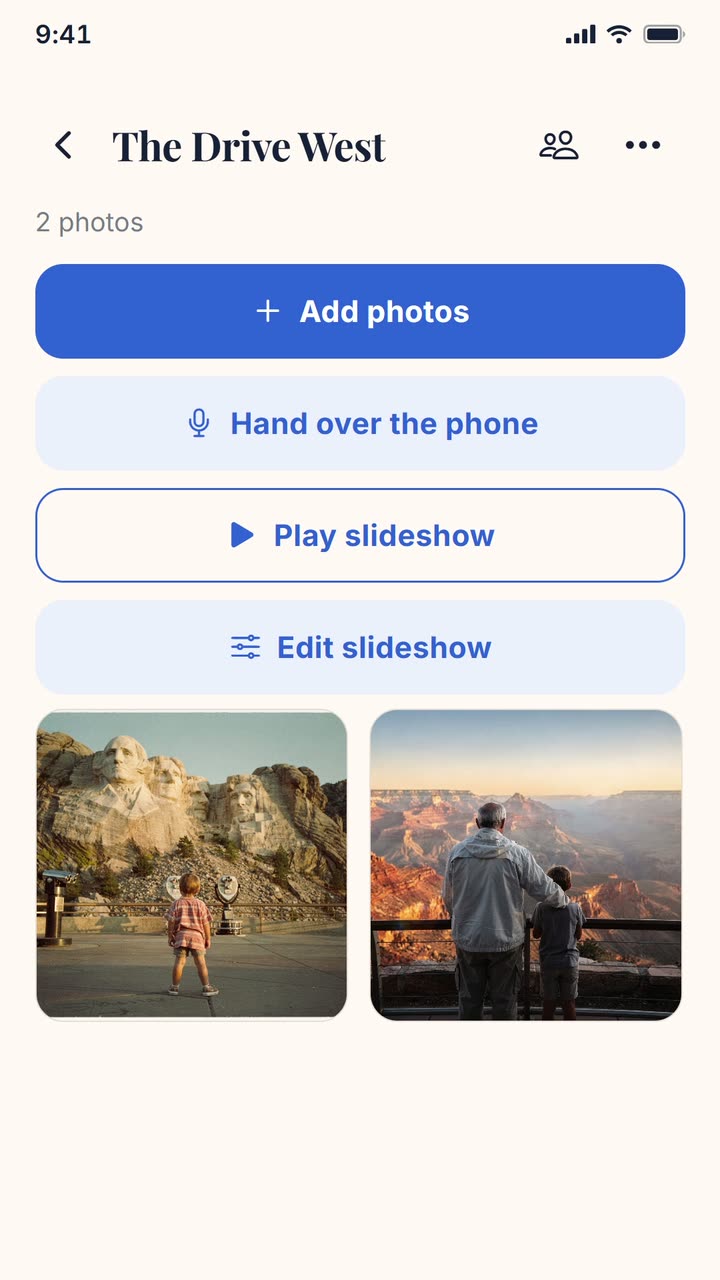
A new album called The Drive West: Add photos, then Scan printed photos, two pages scanned, and the two prints land in the album grid.
Start with the photo on the wall.
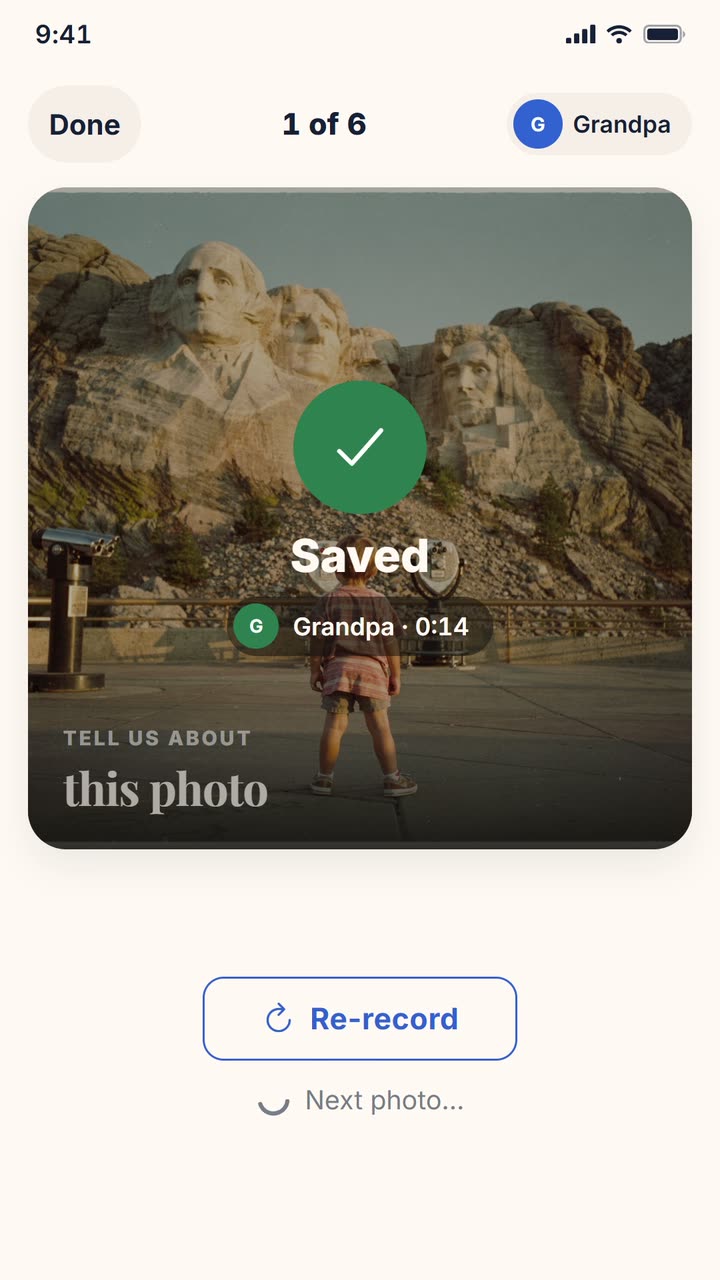
The album, a tap on Hand over the phone, then Grandpa's story recording over the old Rushmore print with its timer and level bars, until a tap stops it and the photo says Saved.
Hand them the phone. Two taps.
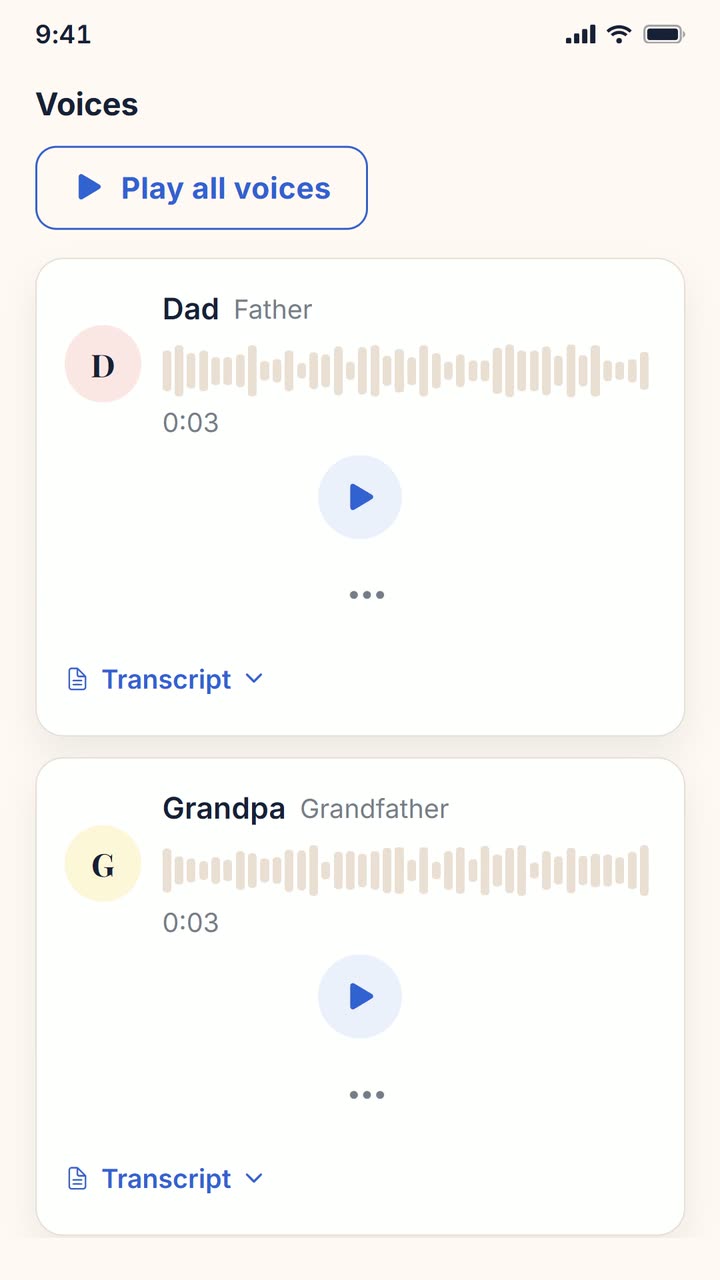
The Rushmore photo's page with its 2 voices chip scrolls down to the voices, where Dad's recording plays from its own button, then Grandpa's, each waveform filling as it plays.
One photo. Every voice.
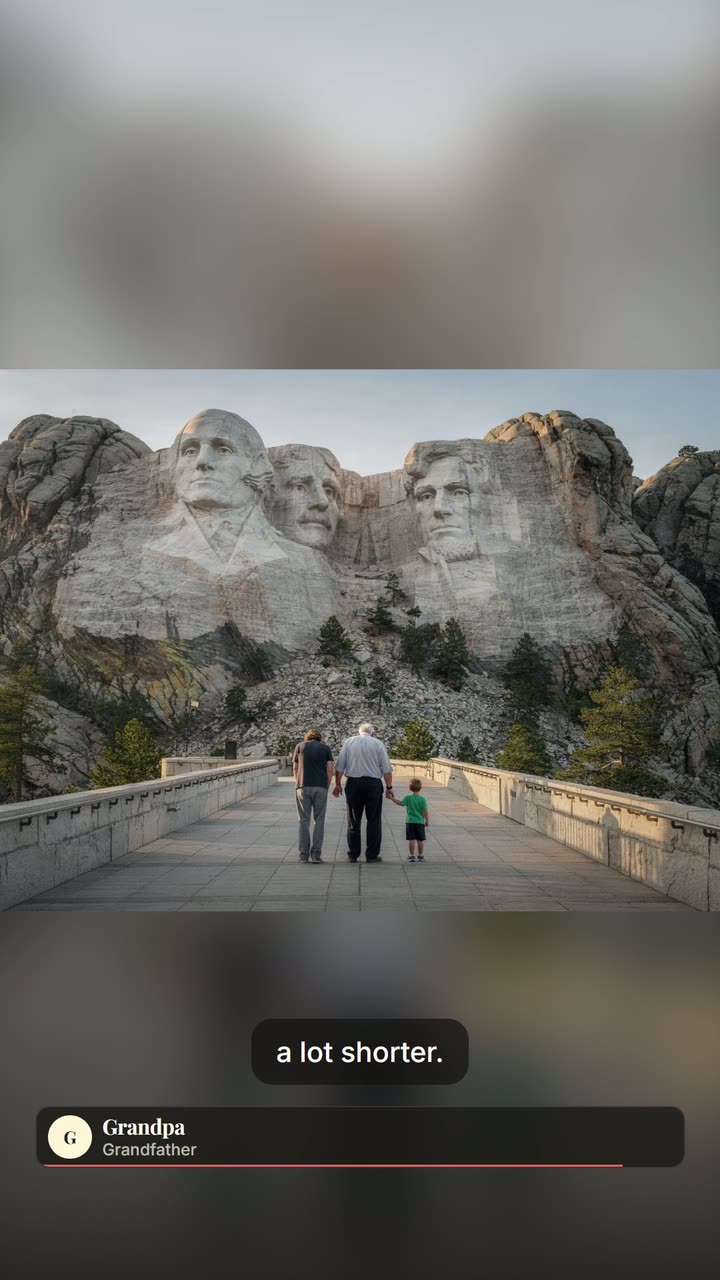
The memory film plays on the Rushmore photo with Dad's name and his words on screen, then Grandpa's, his line lighting up word by word.
Watch what the room remembers.
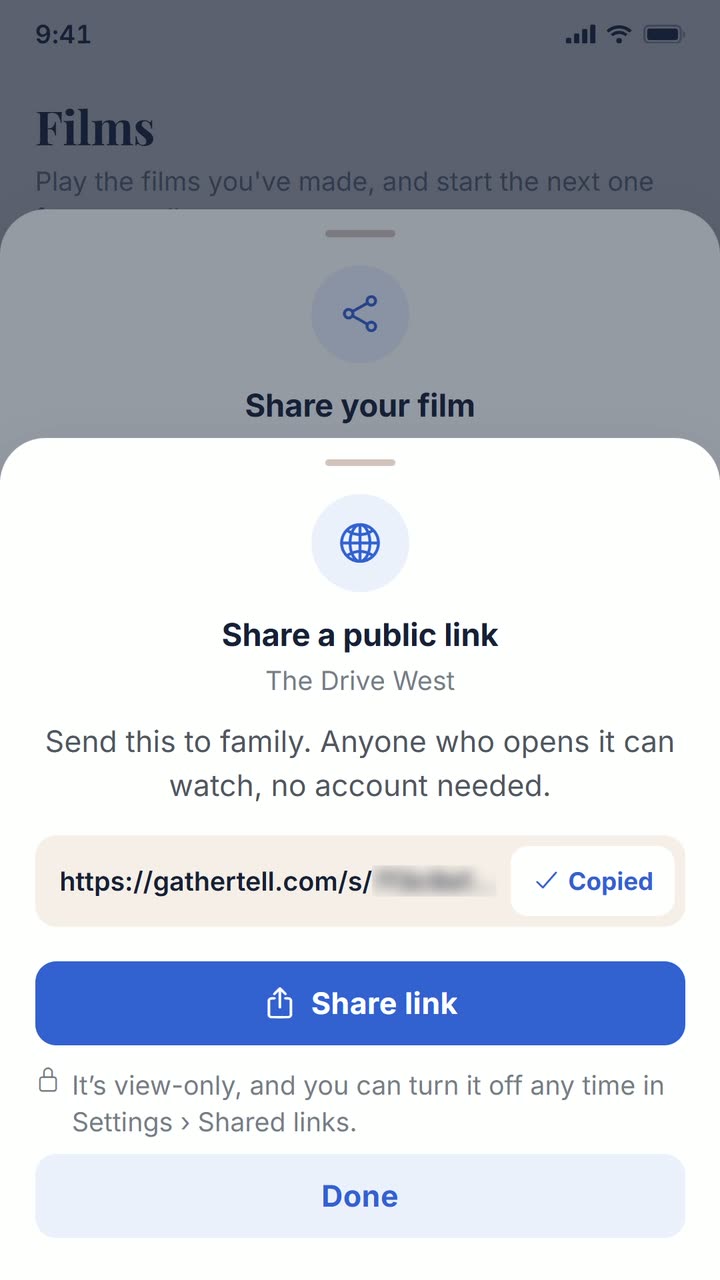
On the Films screen, Share opens Share your film, then Watch anywhere link and Create public link make a link anyone can open in a browser with no app, and Copy turns to Copied.
Send it to the ones who were not there.
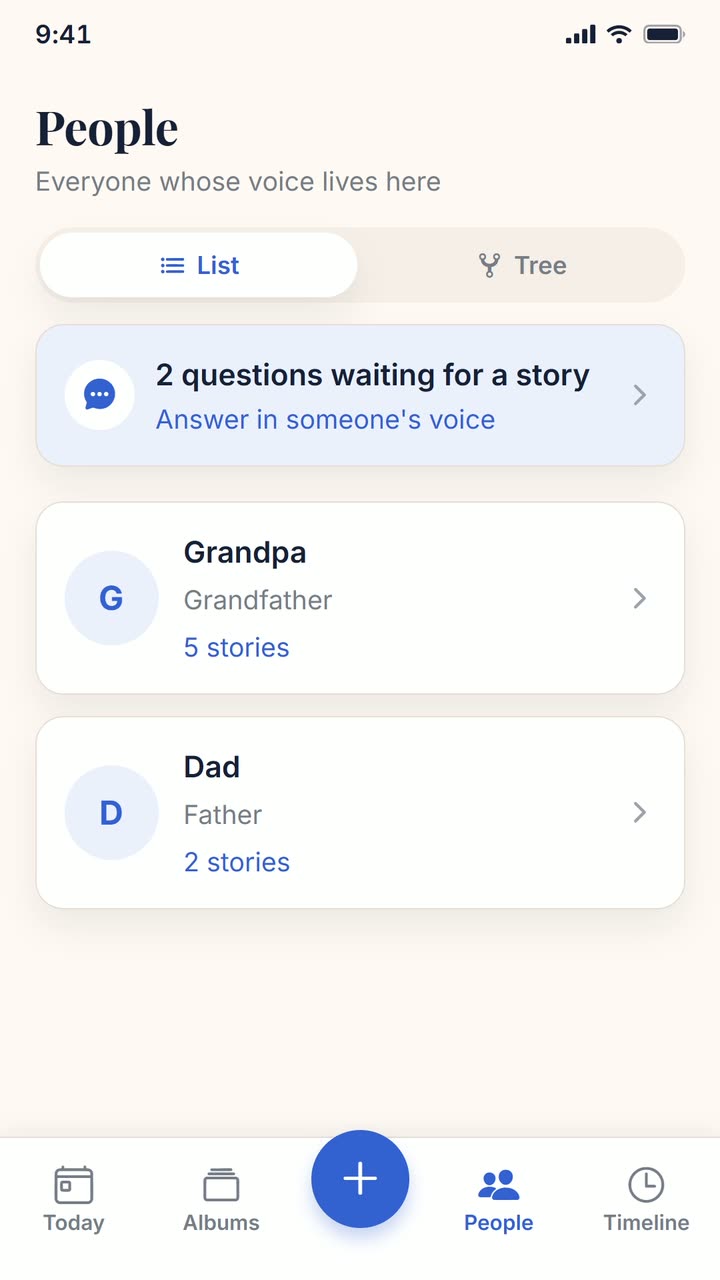
The People tab says 2 questions waiting for a story, and a tap opens Grandpa's page, where the boy's typed questions wait, each with Answer as Grandpa.
The questions are waiting for a story.
Live events
Host a gathering. One code for everyone.
Guests scan the code, then sign in or create a free account. Their photos land in the album as the night goes on, and voices are recorded in the app. The album stays open afterwards, and you can play it as a film on a TV from your phone.
Coming soon to the App Store and Google Play
The waitlist isn’t open just yet. Check back very soon.
Recreated screen
Ana & Sam's Wedding
Guests scan to join
Share linkCopy
Add your photos
Pricing
Start your family’s archive for free.
Free
$0
Start your family’s archive.
5 GB of photos and voice recordings, room for thousands of memories
The guided walkthrough, two taps per memory
Share albums with the whole family
Make and share films with names on screen, in the style you pick
Coming soon to the App Store and Google Play
The waitlist isn’t open just yet. Check back very soon.
PlusComing soon
For families who want the finishing touches, like automatic audio clean-up that removes hiss and trims long silences so every voice sounds clear.
We’ll share the details before you’re ever asked to pay.
Your photos and recordings stay yoursEverything you save stays viewable and shareable, freeFree to start, no credit card
Questions
The things families ask us first.
Does everyone need an account?
Not to watch. Anyone with the link can watch. To add a photo or a voice, they sign in or create a free account, and voices are recorded in the app. The person who starts the album handles the setup, and can do that with their Google account; everyone else can just be handed the phone.
What if someone’s not good with phones?
That’s exactly who we built it for. The guided walkthrough shows one photo at a time with a single giant record button and oversized text. They tap once to start, talk, tap once to stop, and it saves. Two taps per memory, no menus to get lost in.
Who can see our photos?
Only the people you invite. Albums are private by default, and each person you add gets a plain-language role, from “can look and listen” up to full control, that you can change at any time.
Do you use face recognition?
No. The app can notice that there’s a face in a photo and count how many, but it never guesses who anyone is. Every name comes from you. That keeps the whole thing private and clear of biometric-identity concerns.
Can we get our memories out?
Your photos and recordings are yours. You can turn any album into a film, with everyone's names on screen, to share with the whole family, and what you have saved stays yours to open.
What does it cost?
Starting your family's archive is free: 5 GB of photos and voice recordings (room for thousands of memories), sharing, and films with names on screen. A paid Plus tier with extra finishing touches is coming later, and you are told before anything costs money.
Start with one photograph.
Coming soon to the App Store and Google Play
The waitlist isn’t open just yet. Check back very soon.